A sore neck and tight shoulders are usually the first sign that a laptop on a bare desk is not a workstation. Two accessories get recommended to fix it: a laptop stand and a monitor arm. They're often treated as rival purchases, but they solve the problem from different angles — and one of them may be entirely wrong for the way you actually work.
What Each One Really Does
A laptop stand lifts the machine off the desk, either to a fixed height or through a set of adjustable steps. It changes the angle of the screen and, with the better designs, adds some airflow underneath. A monitor arm replaces the base of an external monitor with a clamp or grommet mount and an articulating joint, letting the screen float above the desk with room to move.
One raises a laptop. The other repositions a separate display. That distinction decides most of what follows.
Ergonomics: Eye Level Is Only Half the Story
The standard advice is that the top of your screen should sit roughly at eye level when you're sitting comfortably. With a laptop, that creates a problem: raise the screen and you raise the keyboard with it. So a laptop stand almost always means pairing the laptop with an external keyboard and mouse. If you already own those, fine. If you don't, add them to the budget, because typing on a raised laptop pushes your hands too high and simply trades neck strain for shoulder and wrist strain.
A monitor arm does the same height job, but it also controls depth. Pulling a screen a few centimetres closer lets you sit back in the chair instead of leaning forward, and tilting it slightly can cut glare from a window without moving the whole desk. Many external monitors ship with stands that adjust only for tilt, which is why an arm is often the only way to get precise placement without stacking books under the base.
When you're using two screens
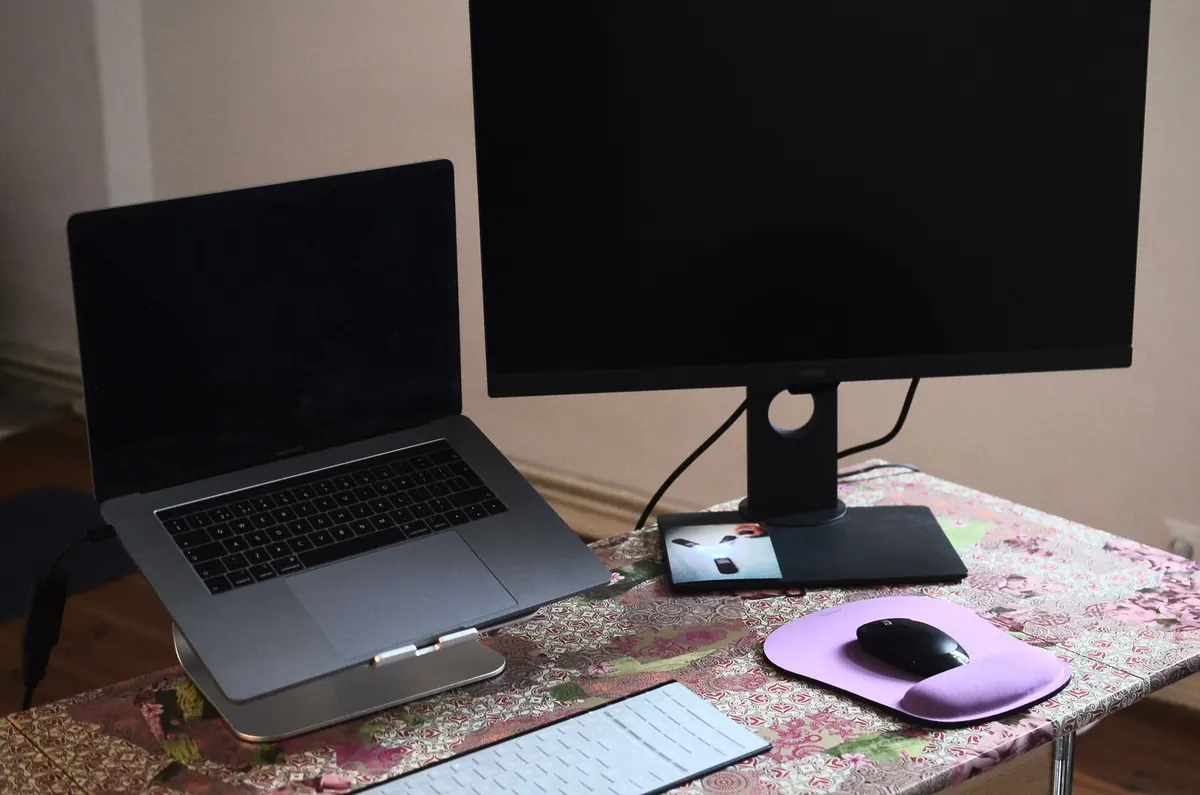
Laptop plus external monitor is the common home office layout, and here the two products stop competing. An arm can centre the main monitor and push it back out of the way; a stand brings the laptop screen up so the two don't sit at wildly different heights. A low, wide laptop stand works especially well when the laptop sits below the monitor as a secondary display. No monitor arm can help the laptop itself.
Cost and Setup Fuss
A basic laptop stand is one of the cheapest upgrades in a home office, and many folding models need no tools at all. Monitor arms cost more, and the extras add up: a VESA adapter if your monitor doesn't use a standard mounting pattern (check for 75x75 or 100x100), a weight rating that matches your screen, and a desk that can take a clamp. The classic false economy is a cheap gas-spring arm under a heavy monitor — it sags slowly and you end up re-tightening it every week. Paying a little more for a known brand usually settles that.
Desk Space and Cable Reality
This is where the two diverge most visibly.
- Laptop stand: occupies a footprint, though many designs leave usable space underneath for a keyboard when you're not typing, or for a notebook and pens.
- Monitor arm: clears the whole area where the monitor base used to sit. On a narrow desk, that reclaimed rectangle is often the single biggest practical gain.
- Clamp requirements: an arm needs a flat desk edge, usually a couple of centimetres deep, with clear space underneath. Glass tops, thin hollow-core tops and desks with a deep apron or drawer unit may not take a clamp safely. Measure before ordering.
- Cables: many arms have a channel to route power and display cables along the joint. A stand leaves them loose unless you add clips or a sleeve.
Portability and Sharing a Desk
If your laptop travels — kitchen table in the evening, café on a Friday, office two days a week — a folding stand lives in your bag and works anywhere there's a flat surface. An arm stays bolted to the desk. If you hot-desk or share a workspace, a clamp left in position is awkward and you'll be re-attaching it constantly, which is exactly the kind of friction that ends with gear in a cupboard.
But if your setup never moves, portability buys you nothing. What matters instead is stability: a monitor that stays exactly where you put it, day after day, without drifting down the joint.
Which One Fits Your Setup?
- Choose a laptop stand if you work mainly from the laptop screen, need something that travels, want the least expensive fix, or use the laptop as a second display alongside a monitor.
- Choose a monitor arm if you use an external monitor daily, want to fine-tune height, depth and tilt, need to reclaim desk space, or use a sit-stand desk. An arm clamped to the desk rises with the desk, so your screen height stays correct when you stand.
- Use both if you run a laptop and an external monitor: arm for the main screen, stand for the laptop.
- Buy neither if your monitor's own stand already puts the screen at a comfortable height and distance. Some do. Many don't, and it's worth checking before you spend anything.
A Practical Way to Decide This Week
Set your chair up first: feet flat on the floor, elbows close to ninety degrees, back supported. Look straight ahead and note where your gaze lands, then compare that with the top edge of your laptop or monitor. If the screen sits well below your eyeline, something needs to change.
Then check two things before ordering anything. First, your monitor: does it have a VESA mounting pattern, and what weight is it rated for? Second, your desk edge: how thick is it, what is it made of, and is there clear space underneath? Those two checks rule out options faster than any comparison table.
If you're still unsure, buy the laptop stand first. It costs less, it's easy to return, and if you work from a laptop alone it's usually enough. Add an arm later if an external monitor enters the picture — which, for most people building out a home office, it eventually does.
One more thing worth saying plainly: gear helps, but if you have persistent neck, shoulder or wrist pain, see a doctor or physiotherapist. A better-placed screen supports good habits; it doesn't treat an injury.
Photo: Skylar Kang / Pexels